Quick Summary
The U.S. Department of Justice announced on August 21, 2026, that TikTok, ByteDance, and affiliated entities agreed to a $400 million settlement resolving federal litigation over alleged violations of the Children’s Online Privacy Protection Act, or COPPA.
TikTok will pay $300 million immediately. Another $100 million is due if a court enters an order vacating an earlier consent decree against TikTok’s predecessor, Musical.ly. The resolved claims were allegations, and the DOJ says there was no determination of liability.
The announcement does not create a consumer claims program, promise payments to users, say that every child’s data will be automatically deleted, or specify that every account setting changed on settlement day.
Reader Decision
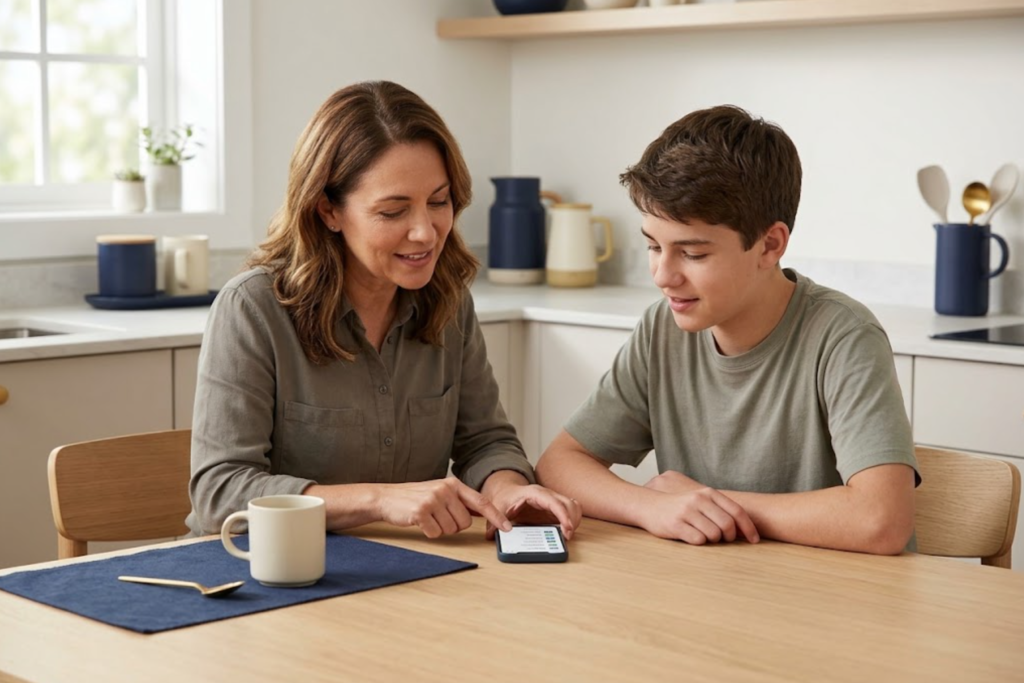
Parents do not need to wait for another legal update to review a child’s account. Check whether the account reflects the child’s real age, review who can see and reuse posts, examine messaging and download controls, consider Family Pairing, and decide whether to request a data copy or account deletion through TikTok’s official tools.
What the Settlement Actually Establishes
The DOJ sued TikTok in 2024 after an FTC referral. The government alleged that TikTok and its predecessor collected personal information from children under 13 without the required parental notice and consent, allowed some children to access the regular TikTok experience, and did not always honor deletion requests properly.
Those allegations explain the case; they are not findings that a court made after trial. The settlement ends the federal litigation on the announced terms without a determination of liability.
The DOJ also says TikTok has made substantial changes since the complaint was filed, including improvements to age-related controls, younger-user safeguards, privacy practices, and parental oversight. The release does not provide a setting-by-setting schedule, so parents should inspect the account that exists today.
Keep Two Age Groups Separate
COPPA is designed to protect children under 13. It gives parents important rights concerning covered operators’ collection, use, disclosure, review, and deletion of a young child’s personal information.
Teen accounts still deserve careful privacy review, but a 13- to 17-year-old is not placed in the same COPPA category as a child under 13. TikTok applies age-based defaults and feature limits to teen accounts; available settings vary by age and, in some places, local law.
TikTok says a person generally must be at least 13 to create an account, although local law can differ. If an account’s birth date is wrong—or a younger child is using the regular experience—use TikTok’s official reporting process. Do not enter an adult’s birth date to unlock features.
A Parent’s Account Check
Work through the account with your child when appropriate. A “teen account” label does not answer every privacy question.
1. Confirm the age status
Ask whether the birth date entered was accurate and note which features are available. If the age appears wrong, consult TikTok Help Center rather than opening replacement accounts.
2. Review the audience
Open Settings and privacy → Privacy and check whether the account is private or public. On a private account, approved followers can view posts and certain profile activity, but a profile photo, nickname, and username can still be visible. Review the follower list with your child and remove accounts they no longer recognize or trust.
Also inspect who can find or receive suggestions for the account. A private account reduces access to posts; it does not make the person invisible everywhere on the service.
3. Inspect interaction and reuse controls
Check the available choices for:
- direct messages;
- comments and mentions;
- video downloads;
- Duet and Stitch or other post-reuse features; and
- the audience selected for individual posts.
Age-based defaults restrict some features, but confirm the current setting. A previously public post or approved follower may remain relevant after the account becomes private.
4. Consider Family Pairing
TikTok’s Family Pairing lets a parent or guardian link an account with a teen’s account and manage a range of privacy, content, and digital-well-being controls. Current options can include screen-time scheduling, content filtering, comment controls, and additional account oversight, depending on age and product version.
Discuss which risks matter, what the parent will manage, and when the arrangement will be reviewed. Family Pairing does not provide a complete copy of a teen’s private activity.
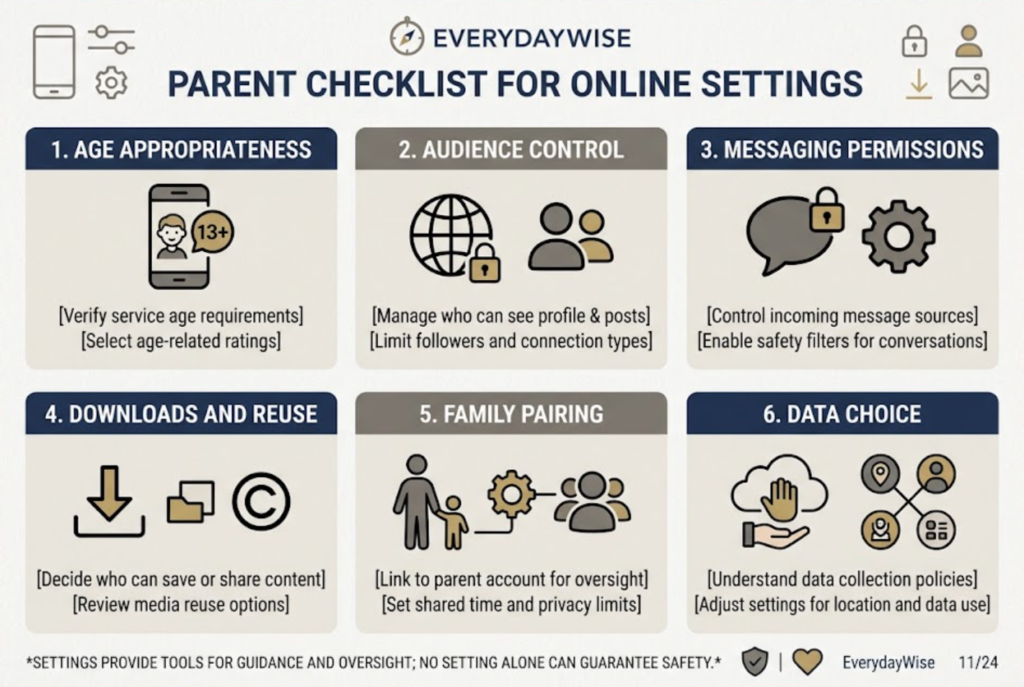
5. Make a separate data decision
TikTok’s Help Center offers tools for requesting account data and for deleting or deactivating an account. These are different actions. Downloading a copy does not delete the account, and removing the app from a phone does not itself submit an account-deletion request.
Before deleting, decide whether the family needs a copy of posts or account information. Follow TikTok’s official instructions and retain confirmation. For information collected from a child under 13, identify that the request concerns a child and expect reasonable parent verification.
What Parents Should Watch Next
The next useful documents are the filed settlement papers or court orders and any specific implementation notice from TikTok. Those materials may clarify continuing obligations, age-assurance procedures, deletion handling, audits, or other compliance measures beyond the short DOJ announcement.
Also watch for an official notice if a consumer claims or refund process is ever created. The August 21 DOJ release does not announce one. Treat unsolicited messages promising a share of the settlement—or asking for a fee, password, verification code, or payment information—as suspicious. Reach TikTok and government agencies through addresses you navigate to independently.
The Practical Takeaway
The settlement is significant, but it does not inspect your child’s account for you. The most useful response is a calm account review based on the child’s actual age and use: confirm the age status, narrow the audience, check contact and reuse permissions, decide whether Family Pairing fits, and handle data access or deletion as a separate documented choice.
Repeat the review when a child moves into a new age band, receives a new device, opens another account, or begins posting differently. Privacy settings work best as part of an ongoing family conversation rather than a one-time reaction to a headline.
This newsletter provides general U.S. consumer information, not legal advice. TikTok features and settings may vary by age, location, account history, and app version. Use TikTok’s current official Help Center for account actions and consult a qualified professional if you need advice about a specific legal right or dispute.
FAQ
Will TikTok users automatically receive part of the $400 million?
The DOJ announcement does not establish a consumer-payment or claims program. Do not pay anyone who promises to obtain settlement money for you.
Does the settlement mean every child’s TikTok data will be deleted?
The DOJ release does not announce automatic deletion of every child’s data. Parents should use official review, support, and deletion channels for the specific account involved.
Does COPPA apply to every user under 18?
No. COPPA focuses on children under 13. Teen privacy and safety remain important, but teen accounts are governed by a different combination of platform settings, other laws, and family decisions.
Is making an account private enough?
It is an important control, but review approved followers, account suggestions, individual post audiences, messages, comments, downloads, and reuse settings as well.
Sources
- U.S. Department of Justice — Justice Department Secures $400M Settlement with TikTok and ByteDance
- Federal Trade Commission — 2024 TikTok and ByteDance Complaint Announcement
- Federal Trade Commission — Complying with COPPA: Frequently Asked Questions
- TikTok Help Center — Teen Privacy and Safety Settings
- TikTok — Guardian’s Guide
- TikTok Help Center — Deleting an Account