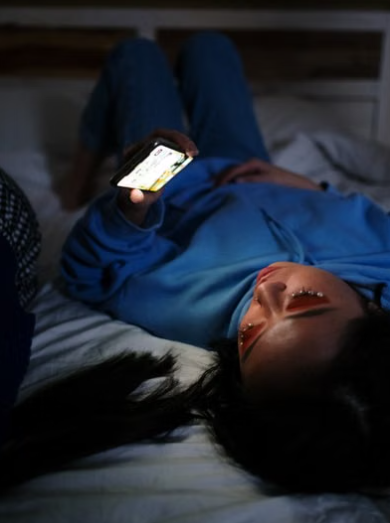
You intended to stop at 10:30 p.m. One message became a video, the video led to another search, and suddenly it was 11:18. The screen may not have made you incapable of sleep. It may simply have moved the moment when you gave sleep a chance.
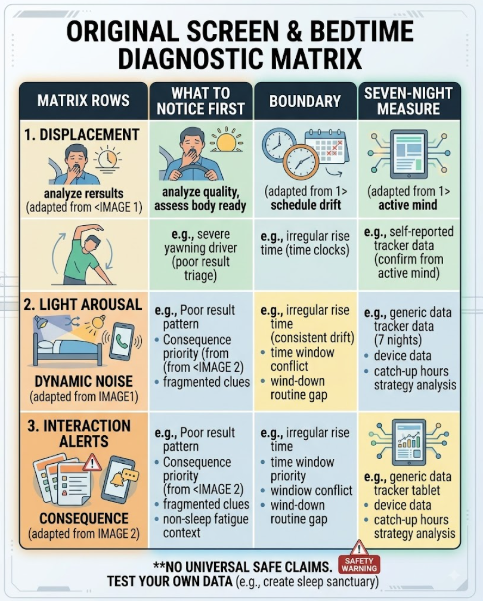
That distinction matters. Evening screen use can affect bedtime through several routes: it can displace time, expose the eyes to light, increase mental or emotional arousal, keep you interacting when a passive activity would end, and interrupt sleep through alerts. Different problems need different boundaries.
Quick decision: First identify what the screen is doing: extending the evening, keeping you alert, delivering upsetting or absorbing content, or waking you after sleep begins. Protect a screen-free final 30 minutes as a practical starting experiment, but change the specific mechanism too—use an end cue for displacement, dim the whole environment for light, switch content for arousal, and silence or relocate the device for interruptions. Test the boundary for seven nights before making it stricter.
Start With the Lost-Minutes Test
Before blaming the display, compare two times:
- intended stop time: when you planned to end the activity; and
- actual shut-eye time: when the screen was off and you began trying to sleep.
If the difference is 45 minutes, the first problem is not mysterious biology. The activity occupied 45 minutes of the sleep opportunity. This is time displacement, and it can happen with work, television, gaming, social media, reading, or a long conversation.
Displacement is often the most actionable pathway because it leaves evidence in the clock. Look at screen-time or app-use history if it is available, but treat it as an estimate. A device may count navigation or audio that did not require visual attention, and it may miss another screen.
Try a clear stopping rule:
- finish one episode rather than starting another;
- set an alarm for the beginning of the wind-down, not only the morning wake time;
- charge the phone outside arm’s reach;
- move unfinished tasks to a written list; or
- use an app limit that requires a deliberate override.
The goal is not to win a contest for the fewest screen minutes. It is to protect the intended sleep window.
Light Is One Pathway, Not the Whole Explanation
Light helps set the body’s sleep–wake timing. NHLBI describes light as the strongest environmental signal for resetting the sleep–wake cycle and advises reducing artificial light at night, including light from televisions and electronic devices. Light from a screen is shaped by brightness, spectrum, distance, screen size, duration, surrounding room light, and personal sensitivity.
This is why “blue light” alone is an incomplete diagnosis. A bright tablet held close in a dark room is not the same exposure as a dim television across a lit room. A warm-colour setting changes part of the spectrum but does not make the screen dark, stop the content, or recover displaced time.
If light seems to be the main issue:
- reduce brightness to the lowest comfortable level;
- use the device’s warmer evening colour setting if comfortable;
- increase viewing distance when practical;
- dim overhead and room lighting as bedtime approaches; and
- stop the screen rather than relying on a filter when sleep timing remains delayed.
Do not stare at an uncomfortably dim display or use tinted lenses that make walking or driving unsafe. People with eye conditions, migraines, or medicines that affect light sensitivity should seek individualized advice before using light-treatment devices or specialized glasses.
Content Can Keep the Mind at Work
The same screen can deliver a quiet recipe, a deadline, a family argument, a competitive game, breaking news, or an autoplay feed. Those experiences are not equivalent.
NIOSH advises avoiding exciting media and upsetting news during the pre-sleep routine. The practical mechanism is arousal: content may increase attention, emotion, problem-solving, anticipation, or the urge to respond. Even when the screen is dim, the mind may remain engaged after the device is put down.
Ask what happens in the 20 minutes after you stop:
- Are you replaying a conflict?
- Are you planning the next move in a game?
- Are you waiting for a reply?
- Are you worried you missed an update?
- Are work decisions continuing in your head?
If yes, change the content boundary, not only the colour temperature. Set a cut-off for work, news, short-form video, competitive games, or emotionally charged messages. Replace the final activity with something genuinely lower-stakes: a familiar audio program, paper reading, stretching, bathing, or a brief written plan for tomorrow.
“Relaxing” is individual. An audiobook may settle one person and keep another listening for two hours. Judge the activity by whether it ends on time and leaves you less activated.
Interaction Makes Stopping Harder
Passive and interactive use differ in the decisions they demand. Messaging requests a response. Games present goals. Social feeds provide unpredictable new material. Work applications create unfinished loops. Each tap can reopen the choice to continue.
Use friction deliberately:
- disable autoplay;
- sign out of the most absorbing app at night;
- remove work and social apps from the home screen;
- switch the phone to grayscale if that reduces its pull;
- set a one-action exit, such as “after I send this message, the phone docks”; and
- use a separate alarm clock if the phone’s alarm is the reason it stays beside the bed.
These are behavioural tools, not medical treatments. Choose the smallest change that reliably ends the activity. If a restriction is so severe that you abandon it after one night, it has not created a durable boundary.
Alerts Can Fragment Sleep After Bedtime
Screen use does not end when you stop looking. A vibration, flash, sound, or smartwatch tap can wake you or bring you close enough to wakefulness that you check the device.
If the problem occurs after sleep begins:
- schedule Do Not Disturb for the full sleep period;
- allow only genuinely necessary contacts or alerts;
- turn off lock-screen previews that invite checking;
- place the phone face down or outside the bedroom;
- remove a vibrating wearable if alerts wake you; and
- separate emergency access from routine notifications.
The boundary should fit real responsibilities. A caregiver, on-call worker, or parent may need selected contacts to reach them. Use an allow-list instead of leaving every app active. Test the alert pathway separately from pre-bed use so you know which change helped.
Build a Boundary That Fits the Screen’s Job
CDC recommends turning off electronic devices at least 30 minutes before bedtime. This is a useful starting experiment, not proof that every adult needs the same curfew or that 30 minutes neutralizes every exposure.
Use the screen’s purpose to choose a boundary:
| Screen job | Likely pathway | First boundary to test |
|---|---|---|
| Work or study | Displacement and problem-solving | Hard stop plus written next step |
| Social media or short video | Displacement and repeated interaction | Timer, autoplay off, device docked |
| News or conflict | Emotional arousal | Earlier content cut-off |
| Film or television | Duration and light | One defined endpoint, lower room light |
| Reading | Light and delayed stopping | Dim display, fixed chapter or timer |
| Alarm or emergency contact | Proximity and alerts | Allow-list, screen down, out of reach |
| Relaxation audio | Accidental visual checking | Screen off, sleep timer enabled |
If a phone is essential for medical monitoring, accessibility, communication, or safety, preserve that function. Remove unnecessary visual and alert demands around it rather than applying a blanket ban.
Run a Seven-Night Screen Test
Choose one mechanism and one change. Keep the intended sleep and wake times as stable as your circumstances allow.
Record:
- intended screen stop time;
- actual screen stop time;
- device and activity;
- brightness and room-light context, if relevant;
- emotional or mental activation at stopping;
- alerts after lying down;
- time you began trying to sleep;
- estimated time to fall asleep;
- awakenings caused by the device; and
- morning refreshment and daytime sleepiness.
Examples of clean tests include:
- Displacement test: Dock the phone 30 minutes before intended sleep for seven nights.
- Content test: Keep the device but remove work, news, games, and social feeds during the final hour.
- Light test: Dim both the device and the room, then compare with the usual setting.
- Alert test: Keep daytime use unchanged but silence nonessential overnight alerts.
At the end, compare medians or the typical pattern rather than choosing the single best night. Did shut-eye time move earlier? Did you feel less activated? Did sleep begin more easily? Did awakenings decrease? Was the boundary realistic?
If nothing changed, do not automatically escalate to a two-hour ban. The suspected pathway may have been wrong. Review caffeine, naps, schedule, pain, breathing symptoms, medicines, stress, and the actual amount of sleep opportunity.
Avoid Four Common Overcorrections
“All screens are equally harmful”
They differ by timing, brightness, distance, duration, content, and interaction. Treating a dim e-reader and an urgent work chat as identical hides the part you can change.
“Night mode fixes the problem”
A warmer display may reduce short-wavelength light, but it does not stop time displacement, emotional arousal, responding, or alerts. It is one control, not a bedtime exemption.
“I fall asleep with the television, so it helps my sleep”
The television may mask thoughts or provide a learned cue, but changing sound, light, episodes, or autoplay can also delay or fragment sleep. If you use it, test a timer, low volume, reduced brightness, and an automatic stop.
“The phone is the only reason I cannot sleep”
Sometimes difficulty sleeping leads people to use technology as a time filler or coping strategy, rather than technology being the original cause. If removing the device leaves the same prolonged wakefulness, the screen may have been accompanying the problem. Persistent insomnia or daytime impairment deserves broader review.
Know When the Screen Experiment Is Not Enough
A screen boundary is reasonable self-management when bedtime has drifted, content is keeping you alert, or notifications are waking you. It is not a complete response to repeated insomnia, excessive daytime sleepiness, loud snoring or breathing pauses, unusual nighttime behaviour, severe anxiety or low mood, or a work schedule that prevents adequate sleep.
Discuss persistent sleep difficulty with a clinician, especially when it continues after you have protected enough time for sleep and tested a realistic screen boundary. Bring the seven-night record. It can show whether the device delayed sleep, interrupted it, or was simply present while another problem continued.
Stop driving or other safety-critical work when you cannot stay alert. Turning on a bright screen is not a reliable treatment for dangerous sleepiness.
Decision Summary
Screen use affects bedtime through more than light.
- Check whether the activity simply displaced the sleep opportunity.
- Consider brightness, spectrum, distance, room light, and duration together.
- Separate calm content from work, conflict, gaming, news, and endless feeds.
- Add friction when repeated interaction prevents stopping.
- Silence or selectively allow alerts during the sleep period.
- Use a 30-minute screen-free window as a starting test, not a universal cure.
- Change one mechanism for seven nights and measure shut-eye time, sleep onset, and awakenings.
- Preserve essential accessibility, caregiving, medical, and on-call functions.
- Seek broader review when sleep problems persist or daytime sleepiness creates risk.
The most useful screen rule is not the strictest one. It is the rule that removes the pathway actually delaying or interrupting your sleep.
This article provides general sleep-health information, not an individualized treatment plan. Screen needs, light sensitivity, work, caregiving, accessibility, medical devices, and sleep conditions vary. Seek professional advice for persistent sleep problems or dangerous daytime sleepiness.
FAQ
How long before bed should I stop using screens?
CDC recommends turning electronic devices off at least 30 minutes before bedtime. Use that as a starting experiment and extend or target the boundary if displacement, arousal, light, or alerts still affect sleep.
Is blue light the main reason phones affect sleep?
Not always. Light can affect sleep timing and alertness, but screen use can also delay bedtime, increase mental or emotional arousal, invite continued interaction, and interrupt sleep with alerts.
Does night mode make bedtime screen use harmless?
No. A warmer colour setting changes part of the light exposure but does not restore lost time, calm stimulating content, stop interaction, or silence notifications.
Is television better than using a phone before bed?
It may be less interactive and farther from the eyes, but brightness, content, volume, duration, and autoplay still matter. Test an automatic stop rather than assuming television is neutral.
Can I listen to something on my phone while falling asleep?
Yes, if it helps and does not keep you awake. Turn the screen off, use a sleep timer, prevent autoplay, and silence unrelated alerts. Reassess if you begin extending listening or checking the screen.
What if I need my phone for emergencies or caregiving?
Keep the essential function. Use an allow-list for necessary people or alerts, silence everything else, reduce visual previews, and place the device far enough away to prevent routine checking.
When should I discuss bedtime sleep trouble with a clinician?
Seek advice when difficulty falling or staying asleep persists despite adequate opportunity and a realistic screen test, or when you have substantial daytime sleepiness, breathing symptoms, mood concerns, or safety impairment.
Sources
- NHLBI – Circadian Rhythm Disorders: Treatment
- CDC/NIOSH – Tips to Improve Your Sleep When Times Are Tough
- CDC – About Sleep
- Bauducco et al. – A Bidirectional Model of Sleep and Technology Use